Figma to code, checked in a real browser
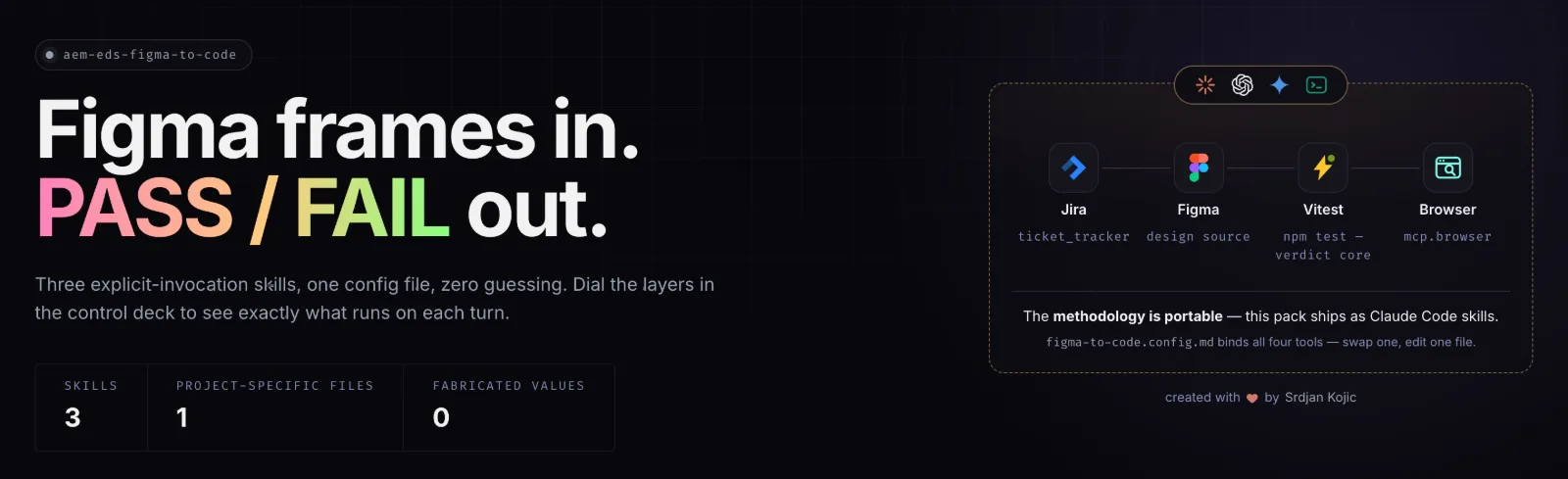
A skill pack for Claude Code that turns a Figma design into a written spec, then checks the built component in a real browser and returns PASS or FAIL. The verdict is decided by tested code, not by the model.
The problem
AI coding agents are good at producing a component that looks close to the design. Close is the problem. Spacing, colours and breakpoint behaviour get guessed, the result looks right at one screen width, and the gaps show up in review or in production.
Asking the model to check its own work doesn't fix that, because the same model that guessed is now grading the guess.
How it works
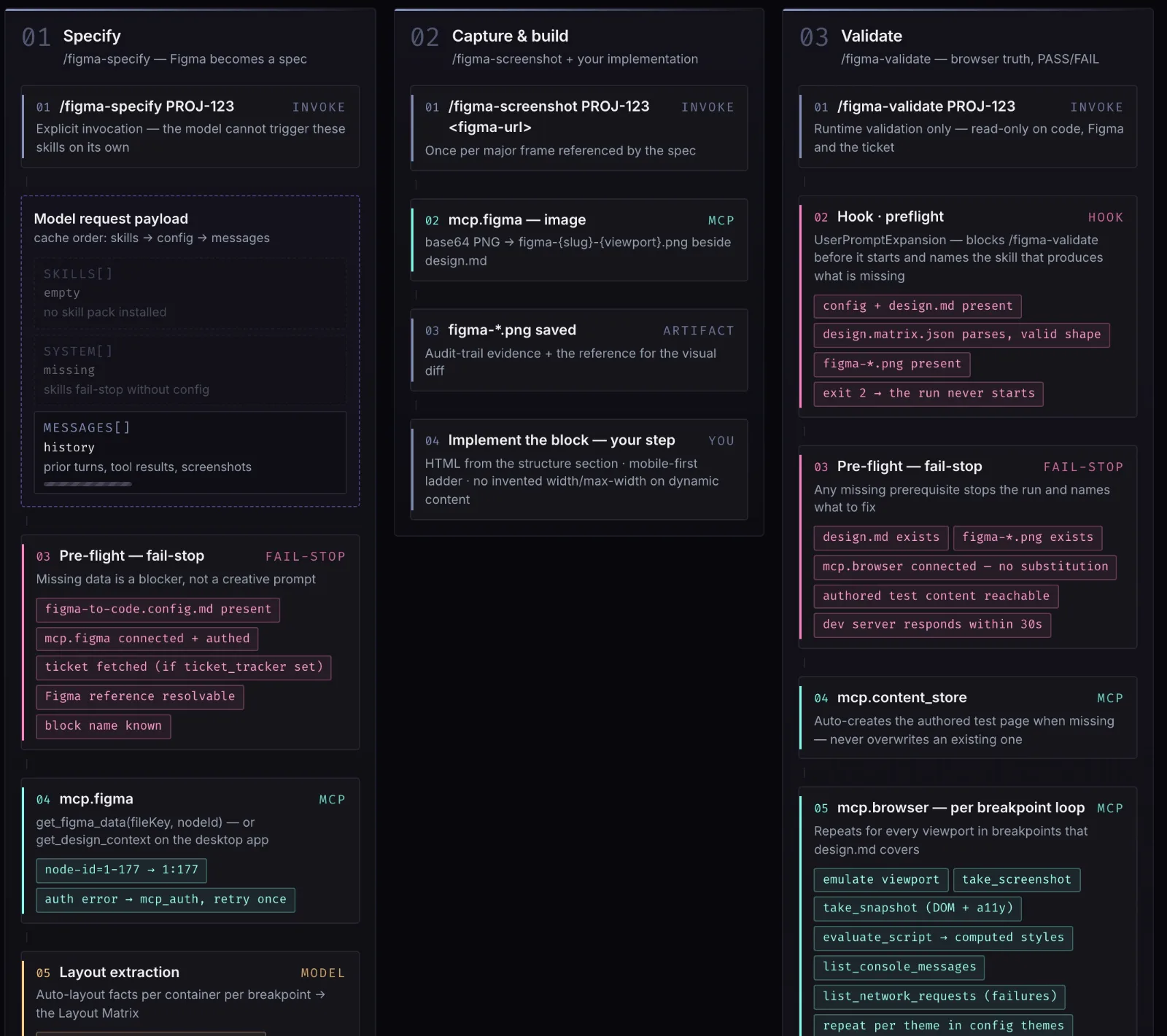
Three skills, each started by hand so the model can't trigger them on its own. Each one reads a known source and writes a defined file, so every run can be traced and repeated.
Specify
Reads the design through the Figma MCP server and writes
design.md: the spec for HTML and CSS, including a layout matrix that records direction, gap and alignment for every container at every breakpoint.Capture and build
Saves the Figma frame as a PNG next to the spec, as evidence and as the reference for the visual check. Writing the component from the spec is the developer's step.
Validate
Drives a real browser at each breakpoint. It reads computed styles and compares them with the spec, runs axe-core and a keyboard pass, records layout shift, runs lint and tests, then writes everything to
evidence.json.
The verdict is code, not the model
The model gathers evidence. A small, dependency-free core decides. It normalises units before comparing, so 2rem matches 32px, and applies the PASS/FAIL rules.
It has three outcomes, not two: PASS, FAIL, and could not evaluate. A gate that can't evaluate its input must not report a result, so a run with no screenshots, or with a malformed evidence file, ends without a verdict. The same rule applies to accessibility: if axe-core fails to load, that's a FAIL, never "zero violations".
Making sure it actually runs
Instructions to a model can be skipped. Hooks are run by Claude Code itself, so the rules hold either way. Four hooks surround the gate: one blocks a run before it starts if the spec or reference is missing, one checks evidence files the moment they're written, one refuses a report whose verdict disagrees with the gate, and one stops the session from ending until the report matches the recomputed verdict.
The hooks never decide the verdict. They only make sure the code that does decide it was run and believed.
Measuring the gate
Every verdict adds a row to an append-only run log. Reviewers mark false passes and false fails afterwards, and the log reports both rates. That answers a different question from "does the gate run": whether it's right.
The verdict logic and hooks are covered by 271 automated tests, as of October 2026.
One file to adapt it
The defaults come from Adobe Edge Delivery Services work, where it was first built. Everything project-specific lives in one config file: the ticket tracker, the design source, the test command and the browser. Swapping one means editing that file, not the skills.
What stays a judgement
The visual comparison against the Figma screenshot is still done by the model, and the report labels it as a judgement. Everything else in the verdict is measured.